> For the complete documentation index, see [llms.txt](https://docs.3dolphins.ai/llms.txt). Markdown versions of documentation pages are available by appending `.md` to page URLs; this page is available as [Markdown](https://docs.3dolphins.ai/5.3.0-id/customer-service/ticket-automation/auto-greeting-dengan-respon-berbasis-waktu.md).
# Auto Greeting with Time Based Response
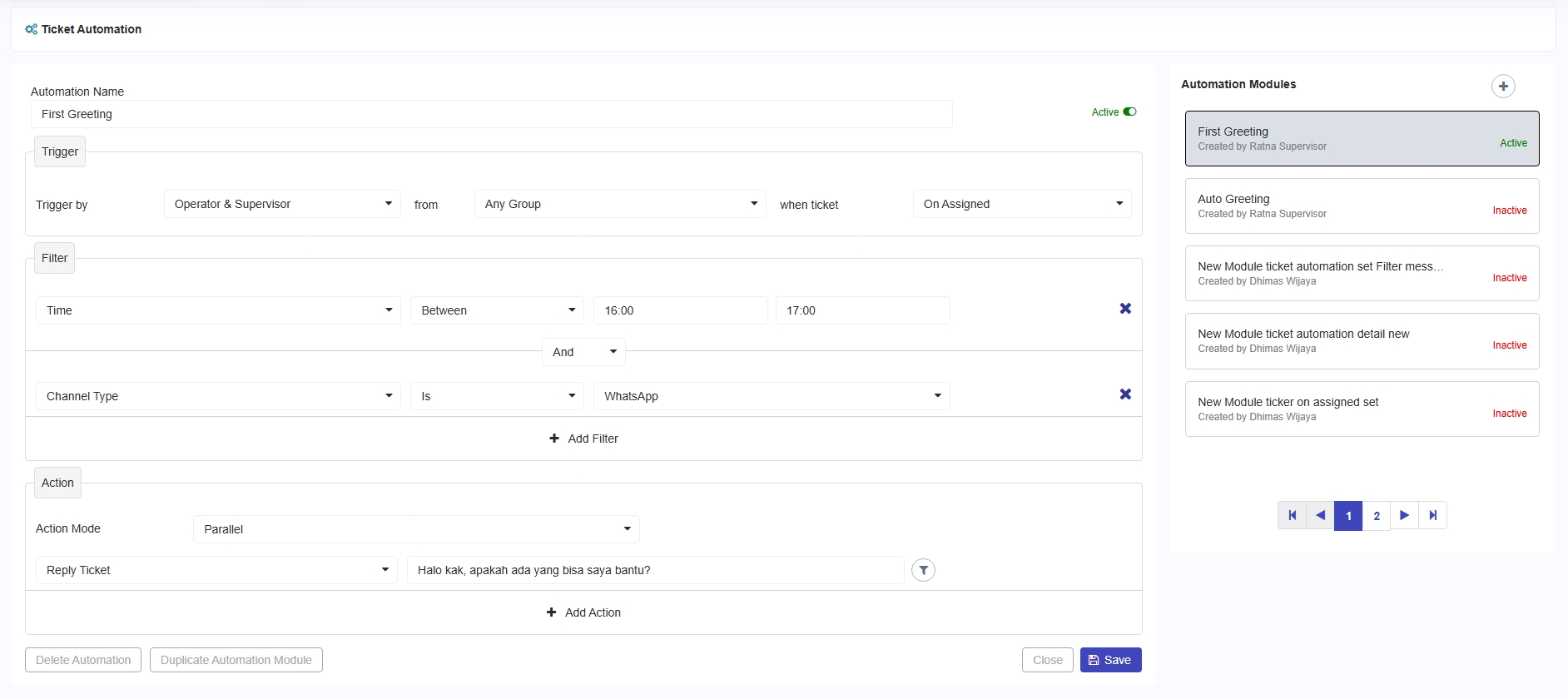
Fitur ini memungkinkan sistem untuk secara otomatis mengirimkan pesan kepada pelanggan berdasarkan rentang waktu yang telah ditentukan melalui pengaturan filter di halaman Ticket Automation.
Misalnya, ketika tiket dari customer telah diassign oleh Operator atau Supervisor dari group manapun diantara pukul 16.00 hingga 17.00, sistem akan secara otomatis membalas tiket (Reply Ticket) melalui WhatsApp dengan pesan yang sudah ditentukan seperti pada gambar berikut.
Configure First Greeting
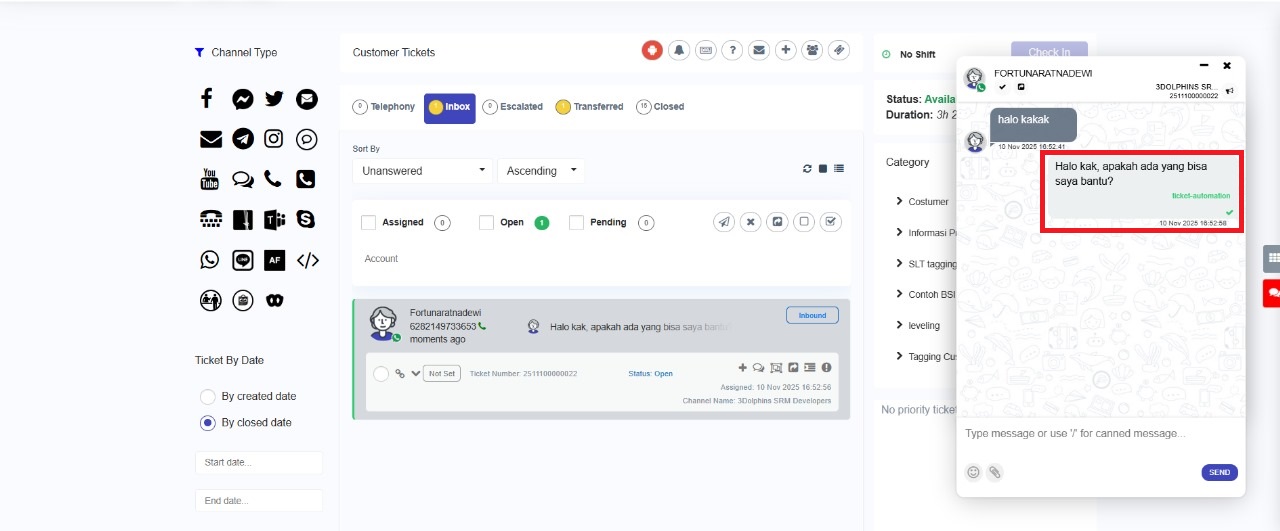
Ketika tiket berhasil di assign, sistem akan secara otomatis mengirimkan pesan seperti yang terlihat pada gambar berikut.
Agent Dashboard
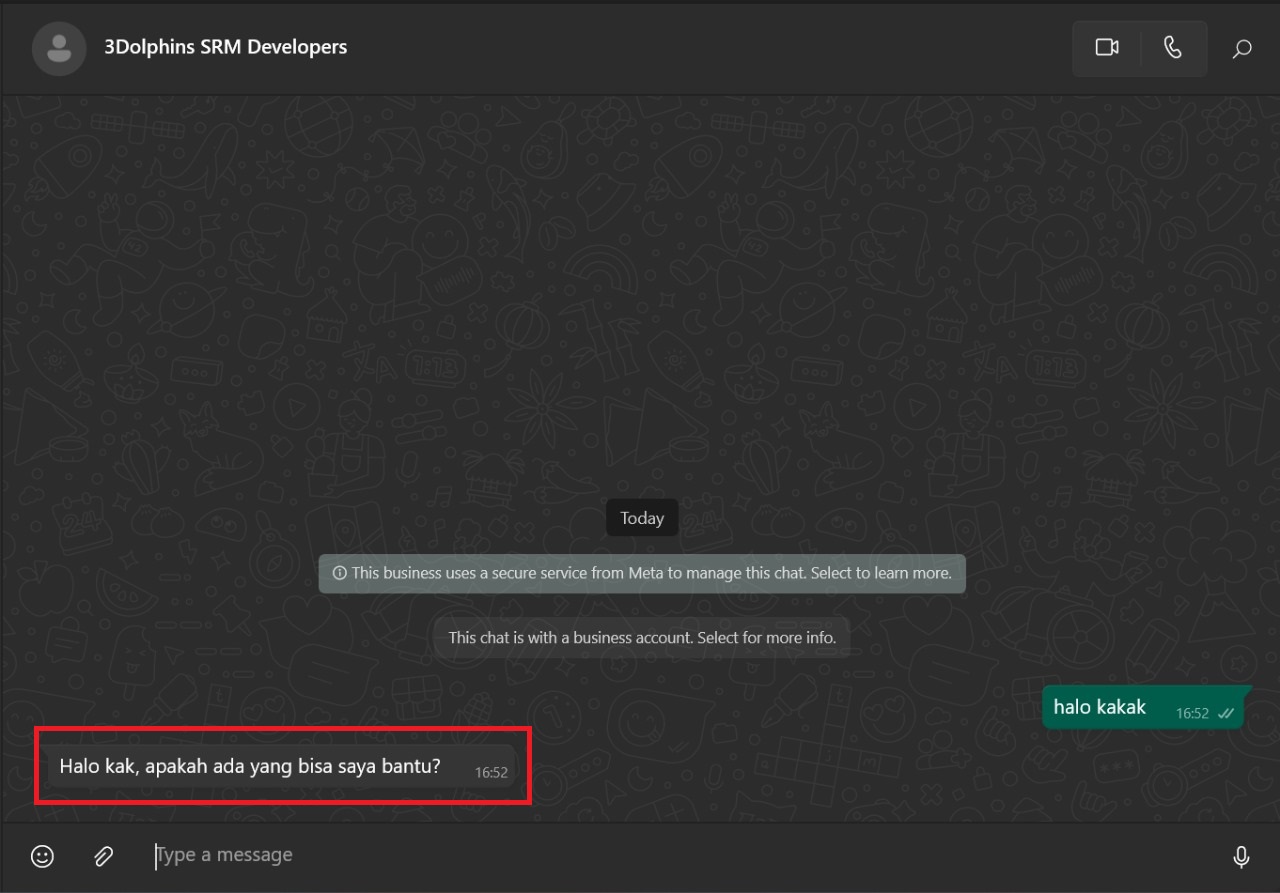
Tampilan percakapan WhatsApp pada halaman customer dapat dilihat pada gambar berikut.