> For the complete documentation index, see [llms.txt](https://docs.3dolphins.ai/llms.txt). Markdown versions of documentation pages are available by appending `.md` to page URLs; this page is available as [Markdown](https://docs.3dolphins.ai/5.3.0-id/marketing/template/request-template/authentication-template/message-content.md).
# Message Content
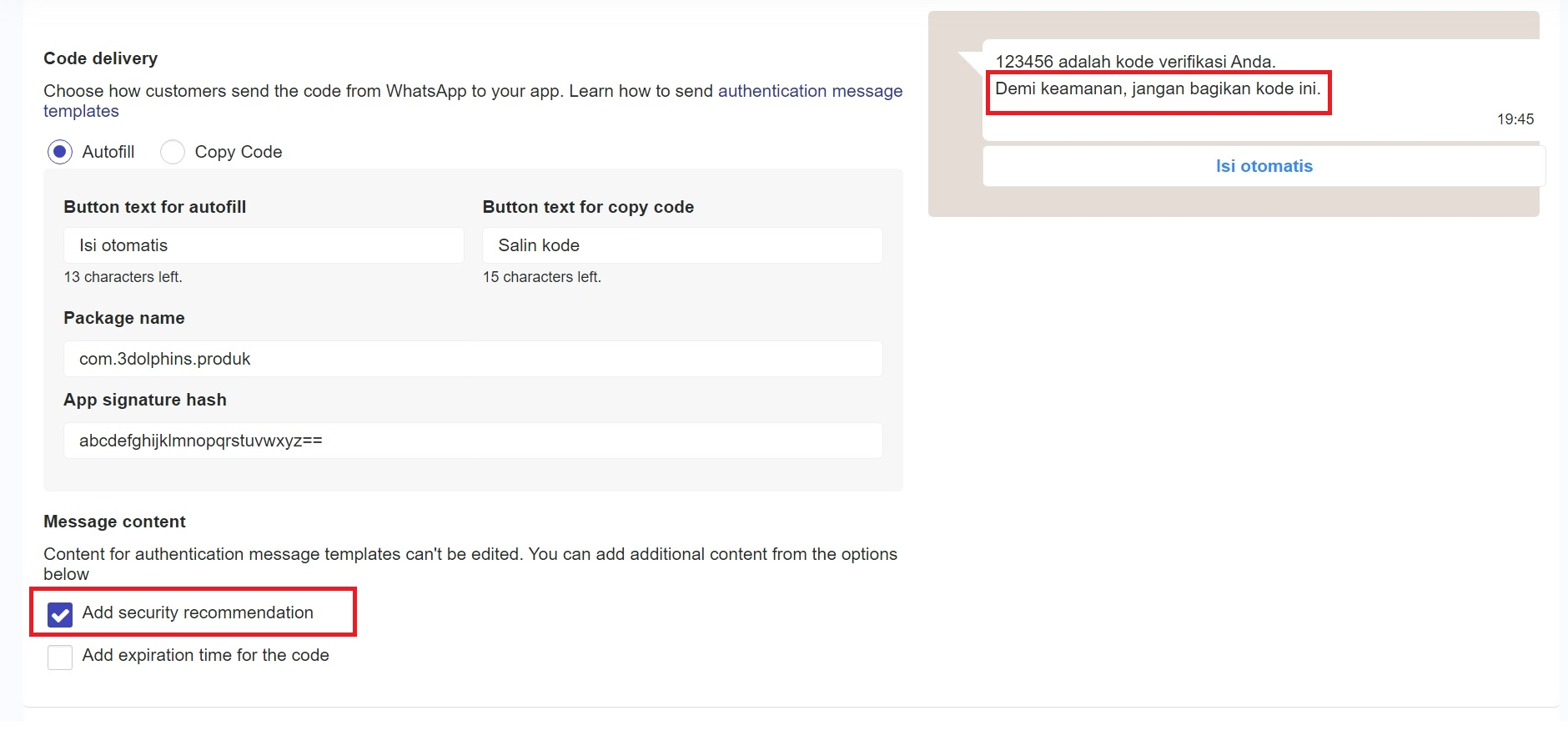
**Message Content** digunakan untuk mengirim kode verifikasi (OTP) kepada pelanggan. Isi pesan dari Message Content sudah ditentukan oleh WhatsApp (default) dan tidak bisa Anda edit. Namun, Anda dapat memilih opsi untuk meningkatkan keamanan dan membuat pesan lebih jelas sebagai berikut :
### Add security recommendation
Jika Anda mencentang chekcbox **'Add security recommendation'**, pesan OTP yang dikirimkan akan menyertakan rekomendasi keamanan untuk pelanggan. Rekomendasi ini bertujuan untuk meningkatkan perlindungan pelanggan dengan memberikan peringatan terkait keamanan kode OTP, seperti gambar berikut.
Message Content
### Add expiration time for the code
Jika Anda ingin mencantumkan batas waktu berlakunya kode OTP, maka Anda dapat mencentang checkbox **'Add expiration time for the code'**. Pada pilihan ini, terdapat durasi waktu (menit) yang dapat Anda atur sesuai dengan batas berlakunya kode OTP.
.png?alt=media&token=6a7722c6-a42b-4b7a-ba43-5b4e2f846d6e)