> For the complete documentation index, see [llms.txt](https://docs.3dolphins.ai/llms.txt). Markdown versions of documentation pages are available by appending `.md` to page URLs; this page is available as [Markdown](https://docs.3dolphins.ai/bot-settings/faq-knowledge/clone-knowledge.md).
# Clone Knowledge
If you need to create a module with knowledge content that is almost the same or even the same as an existing module, you can use the **Clone Module** feature.
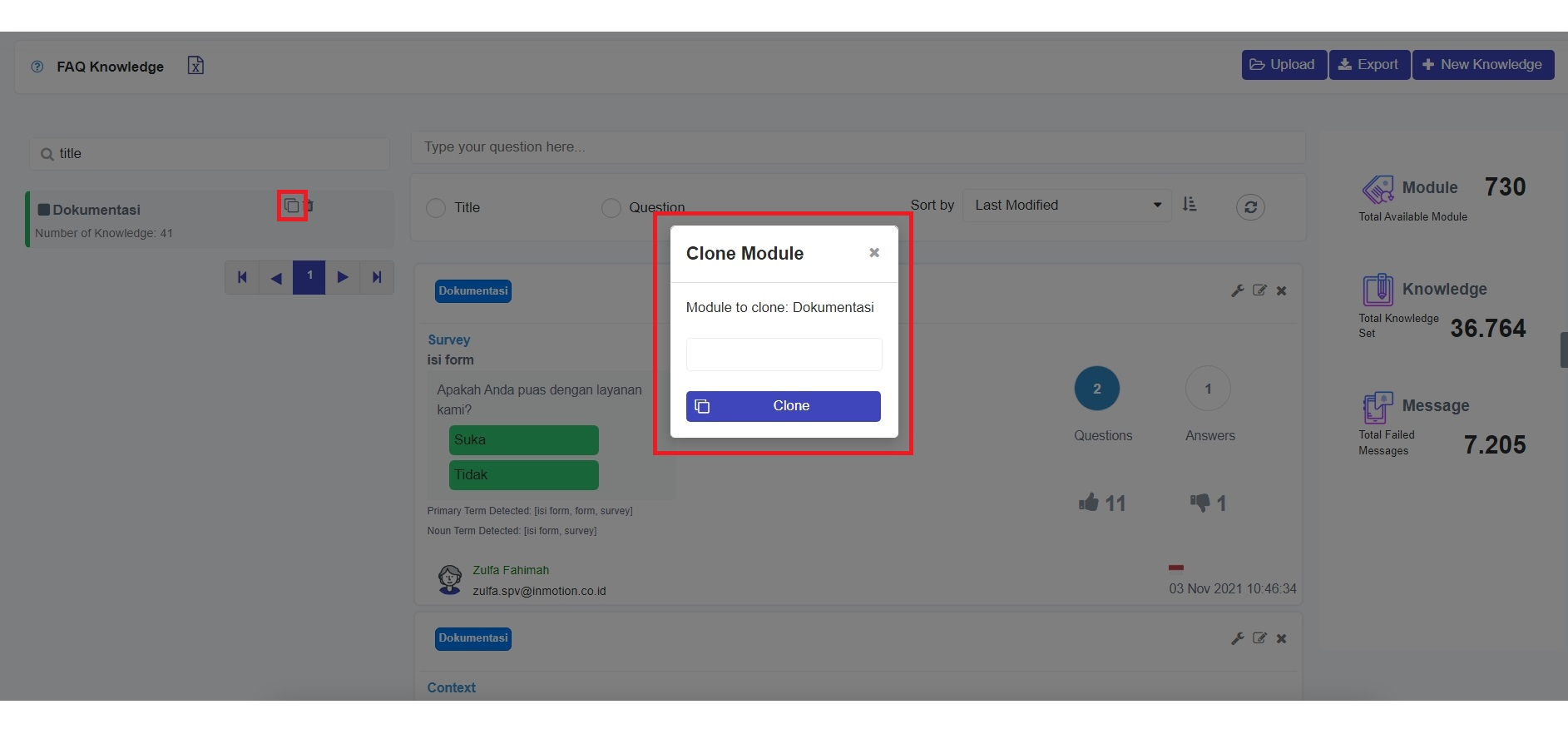
This feature will duplicate the previously created module. For example, if you have previously created the "Dokumentasi" Module and you have a new need to create a knowledge module from a different Bot, then you can try duplicating the Module by selecting the **'Clone'** button () on the right of the Module name.
Clone Module
Once clicked, you will be asked to fill in the name of the new module, and you can fill in "Dokumentasi - EN" and click the clone button.
Success Clone Module
The module has been duplicated successfully. Furthermore, you can add or change knowledge as needed.
 ) on the right of the Module name.
