> For the complete documentation index, see [llms.txt](https://docs.3dolphins.ai/llms.txt). Markdown versions of documentation pages are available by appending `.md` to page URLs; this page is available as [Markdown](https://docs.3dolphins.ai/marketing/template/request-template/authentication-template/message-content.md).
# Message Content
**Message Content** is used to send a verification code (OTP) to customers. The message content is predefined by WhatsApp (default) and cannot be edited. However, you can choose options to enhance security and make the message clearer as follows:
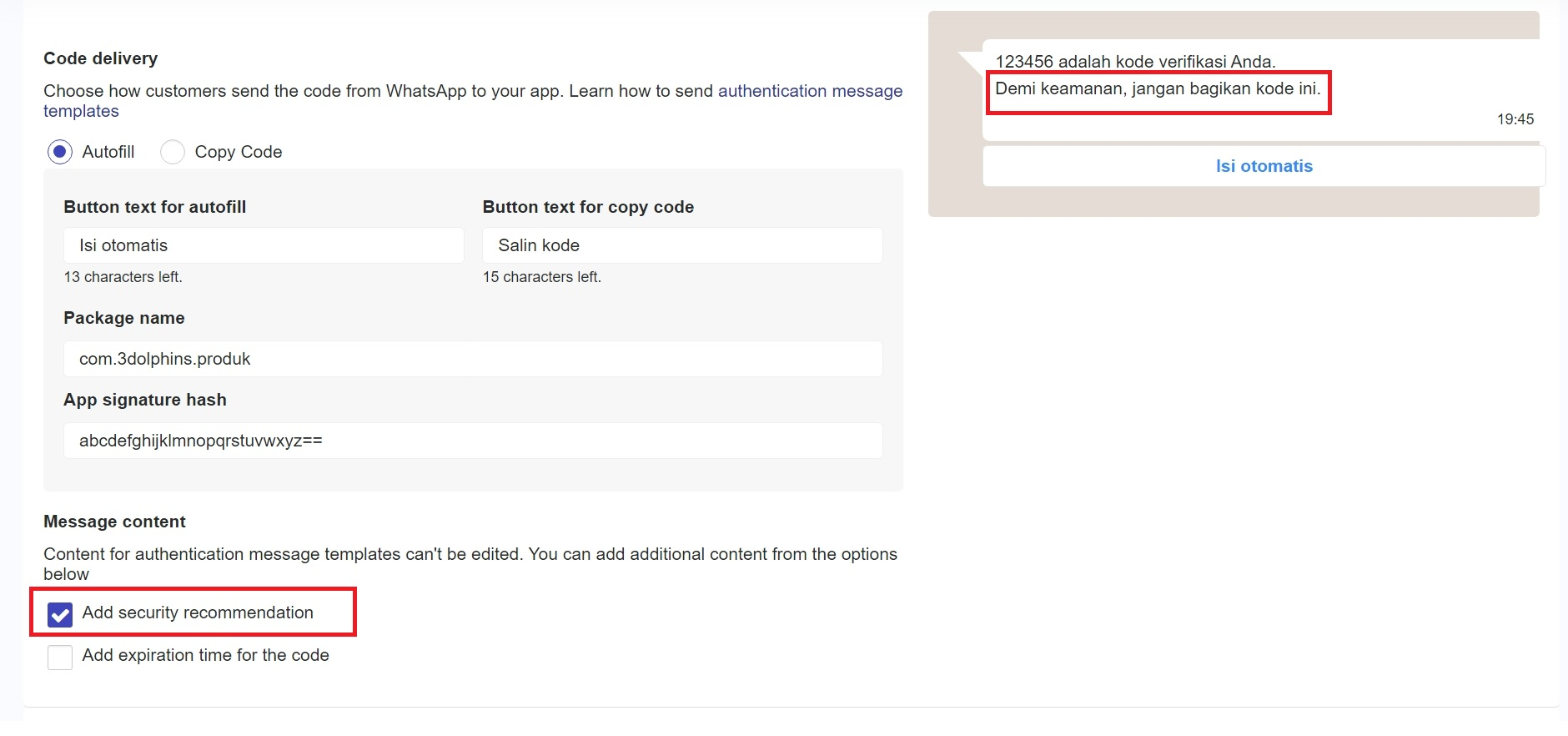
### Add security recommendation
If you check the **'Add security recommendation'** checkbox, the OTP message sent will include a security recommendation for customers. This recommendation is intended to enhance customer protection by providing a warning about OTP security, such as advising them not to share the code with anyone, as shown in the following image.
Message Content
### Add expiration time for the code
If you want to specify the expiration time for the OTP code, you can check the **'Add expiration time for the code'** checkbox. In this option, you can set the duration (in minutes) according to the validity period of the OTP code.