> For the complete documentation index, see [llms.txt](https://docs.3dolphins.ai/llms.txt). Markdown versions of documentation pages are available by appending `.md` to page URLs; this page is available as [Markdown](https://docs.3dolphins.ai/marketing/template/request-template/marketing-template/carousel-message.md).
# Carousel Message
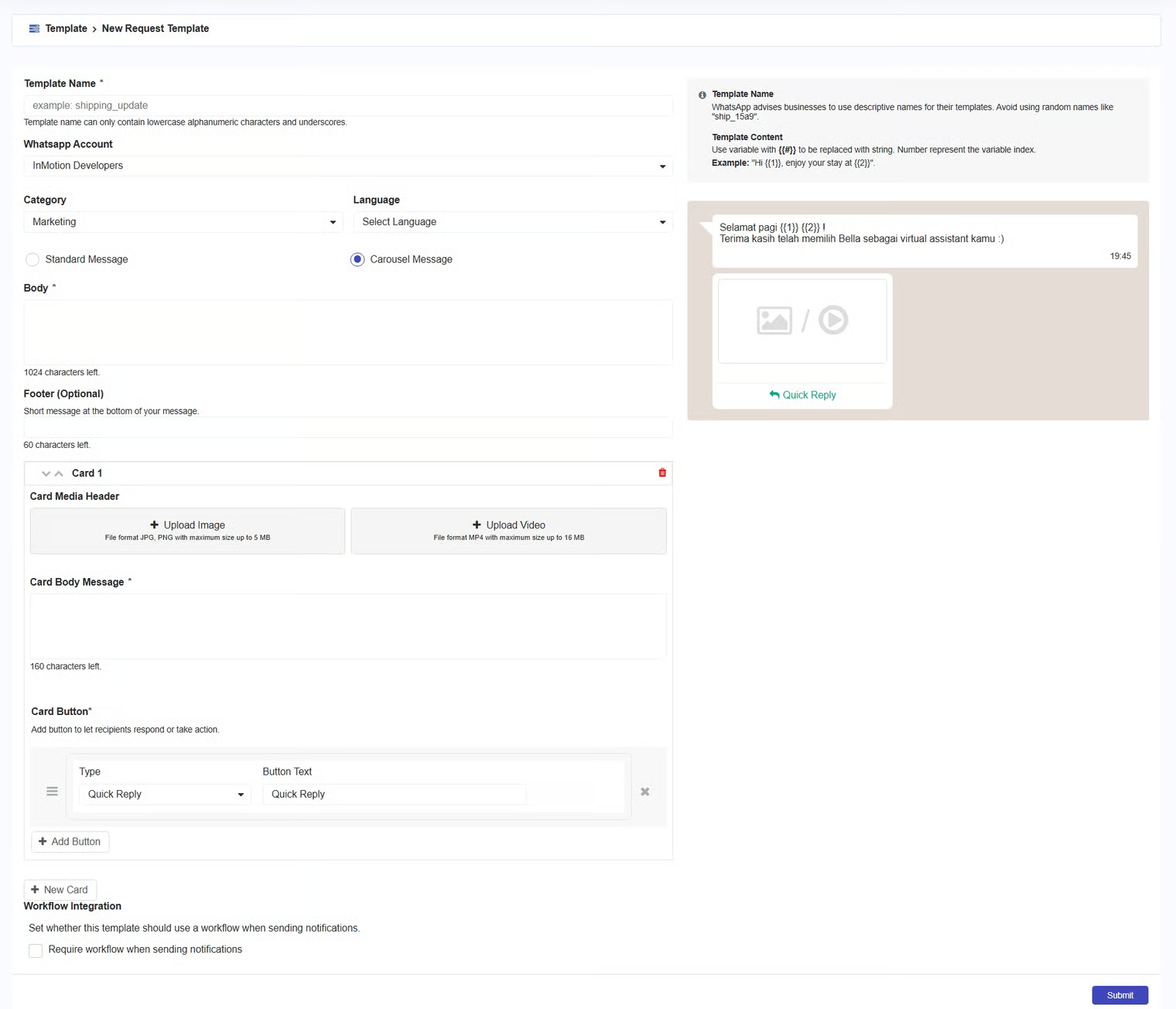
A Carousel Message allows you to display multiple pieces of product or service information in a single message using cards. Each card in a Carousel Message can contain an image or video as the main display, a brief description to explain the product or service, and response buttons that make it easy for customers to get more information.