> For the complete documentation index, see [llms.txt](https://docs.3dolphins.ai/llms.txt). Markdown versions of documentation pages are available by appending `.md` to page URLs; this page is available as [Markdown](https://docs.3dolphins.ai/marketing/template/request-template/marketing-template/carousel-message/workflow-integration.md).
# Workflow Integration
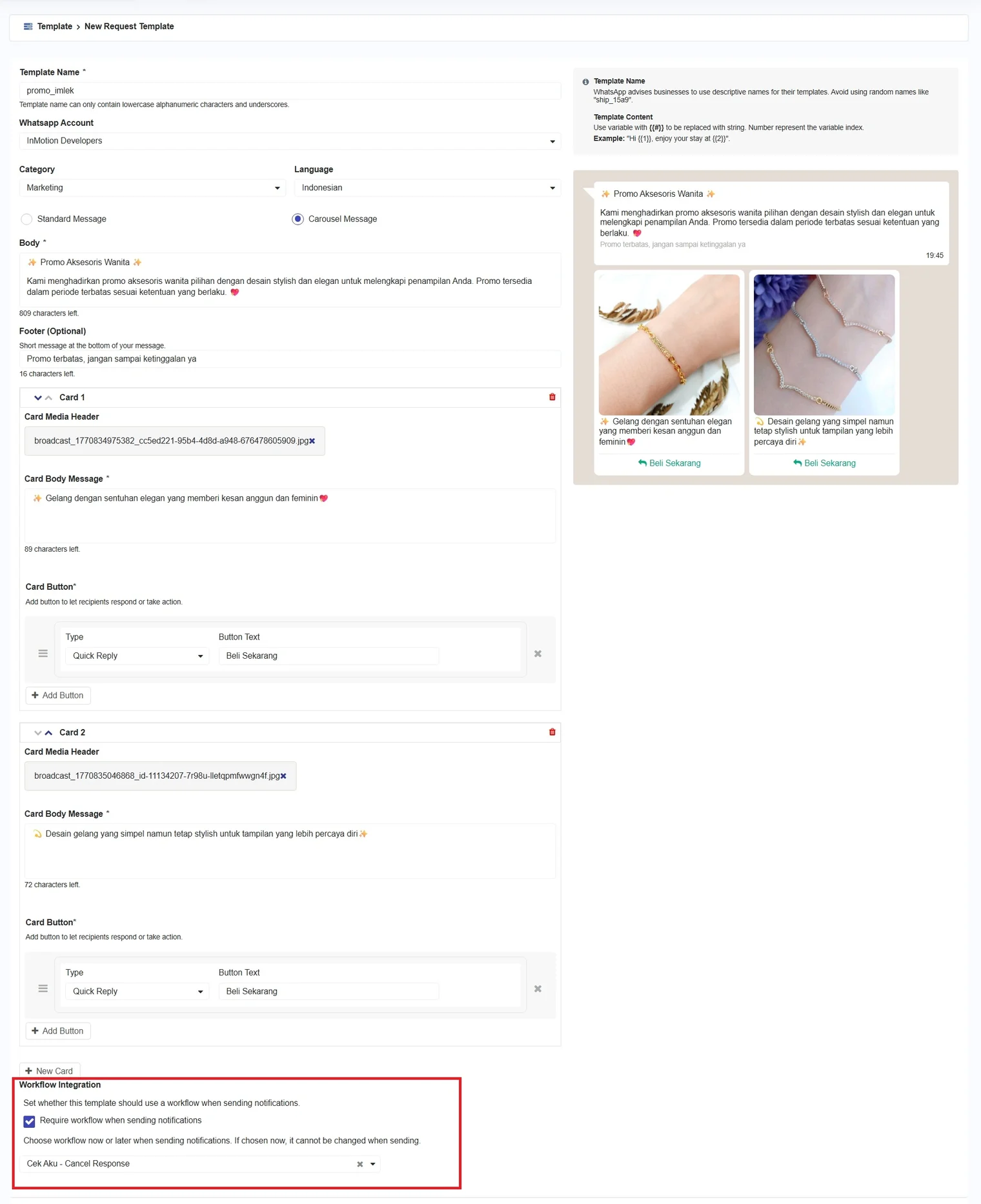
Workflow Integration is used to determine whether the delivery of messages using this template must first go through a workflow process. If you select **'Require workflow when sending notifications'** it means that every message sent using this template must be processed through the configured workflow.
{% hint style="info" %}
To learn more about workflows, you can visit [this](/bot-settings/process-flow.md) page.
{% endhint %}
Workflow Integration
{% hint style="info" %}
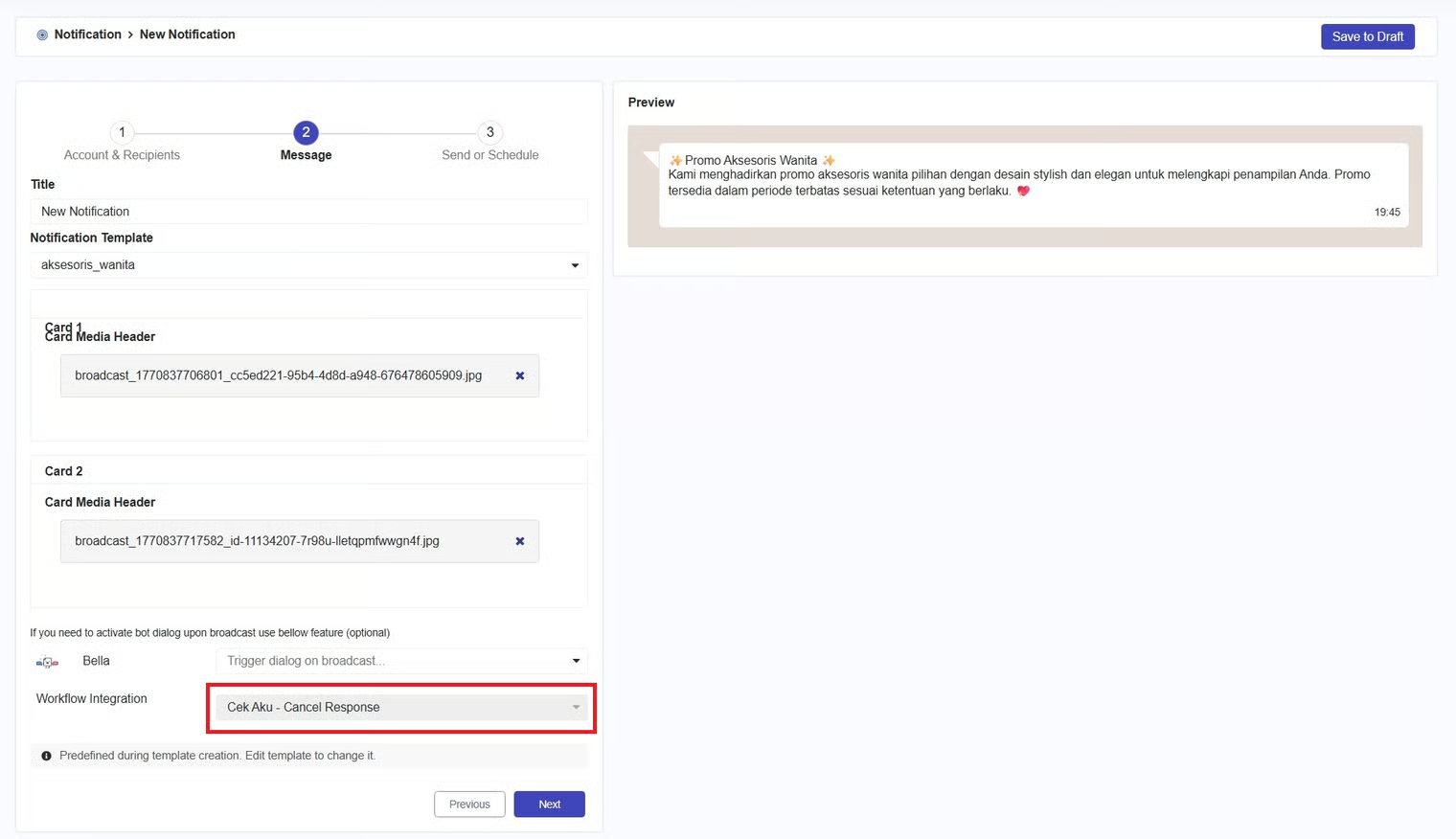
When you select workflow integration, the workflow field on the notification page will be automatically filled according to the workflow configuration in the template and cannot be changed.
{% endhint %}
As shown in the example above, after checking the checkbox and selecting a workflow, when you create a broadcast message on the [Notification](/marketing/notification.md) page (go to [**Notification > Create Notification**](/marketing/notification/create-notification.md)) and use this template in the **Message** section, the **workflow** field will be automatically populated according to the template configuration and cannot be changed, as illustrated in the image below.