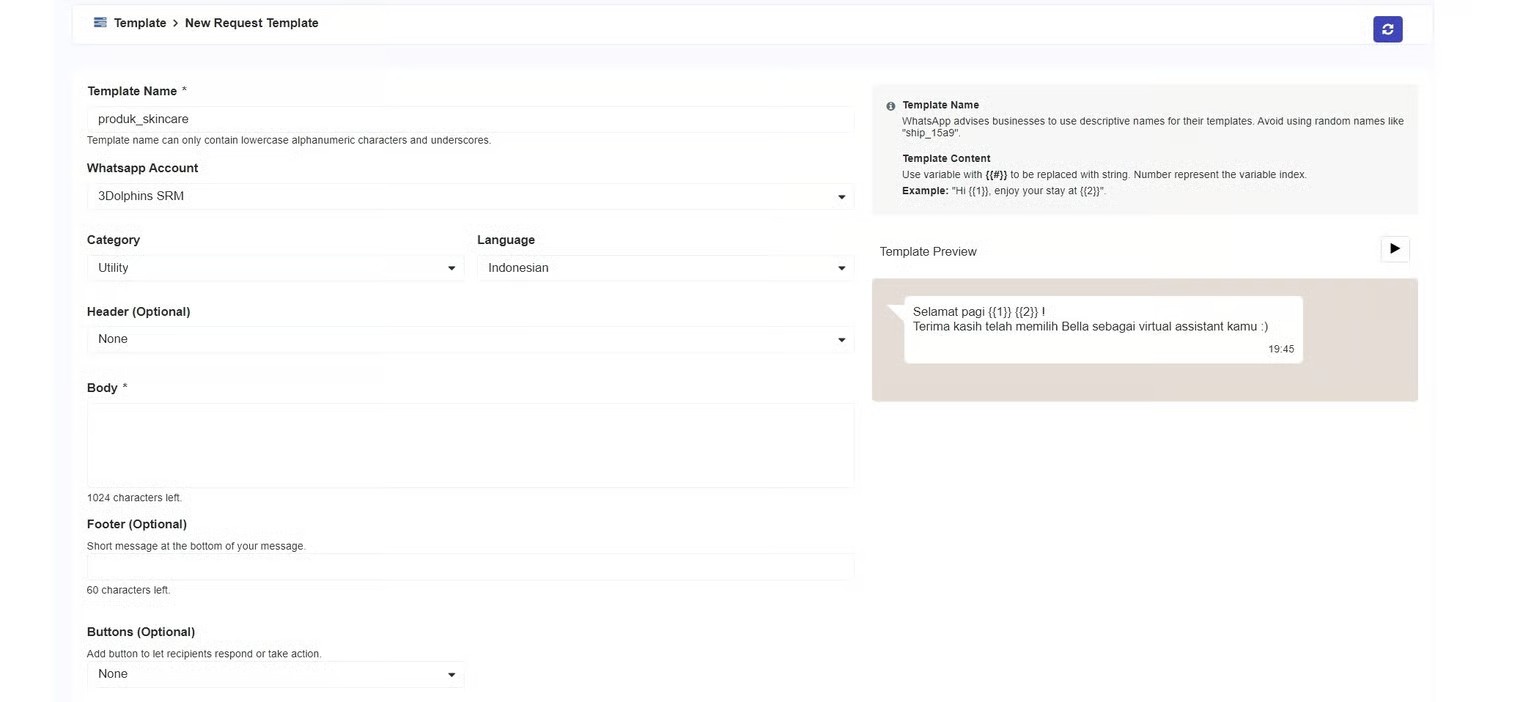
Utility Template
Utility Template
| Name | Description |
|---|---|
| Template Name | The title of the template. WhatsApp recommends using a descriptive name for your template. |
| WhatsApp Account | The WhatsApp account you will use. |
| Category | The category for the template according to your needs. There are 3 template categories:
|
| Language | The language used to create the template. |
| Header | The top section of the template display, which can be text or media, is optional. You can use either a text header or a media header. To learn more about template headers, you can refer to this page. Note: |
| Body | The content of the template message. To learn more about the body template, you can refer to this page. Note: |
| Footer | A short message located below the template message, which is optional. To learn more about the footer template, you can refer to this page. Note: |
| Buttons | Additional action buttons that you can add to the template. There are 4 template buttons:
To learn more about template buttons, you can refer to this page. |
| Workflow Integration | Determines whether the delivery of messages using this template must go through a configured workflow. |