> For the complete documentation index, see [llms.txt](https://docs.3dolphins.ai/llms.txt). Markdown versions of documentation pages are available by appending `.md` to page URLs; this page is available as [Markdown](https://docs.3dolphins.ai/marketing/template/request-template/utility-template/body-template.md).
# Body Template
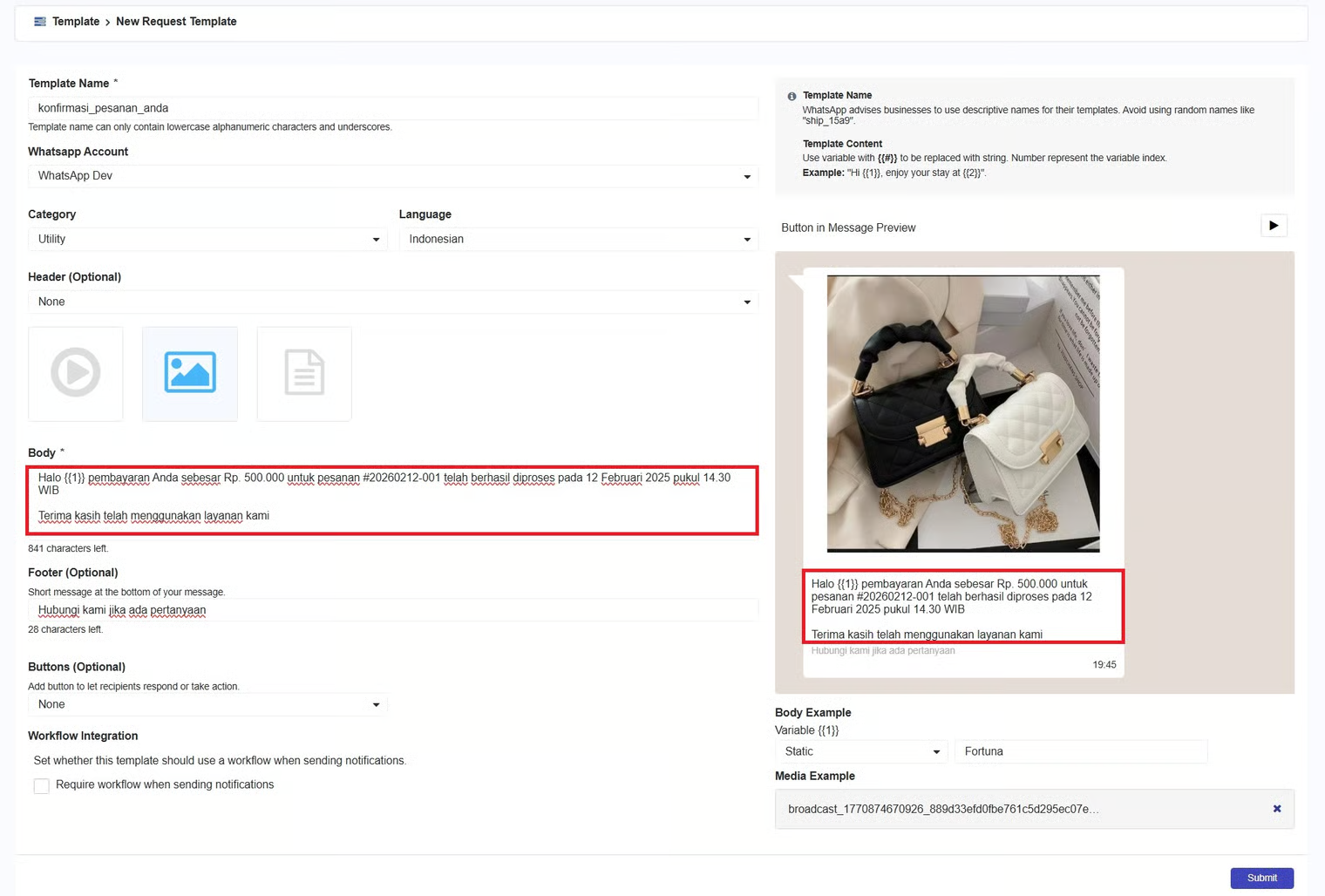
In the body field, you can write the message body with a maximum of 1024 characters. This message body is mandatory because it contains what you want to convey to the customer. Then, if you have entered the message body, a preview of the message body will appear on the right side of the page.
Message Body
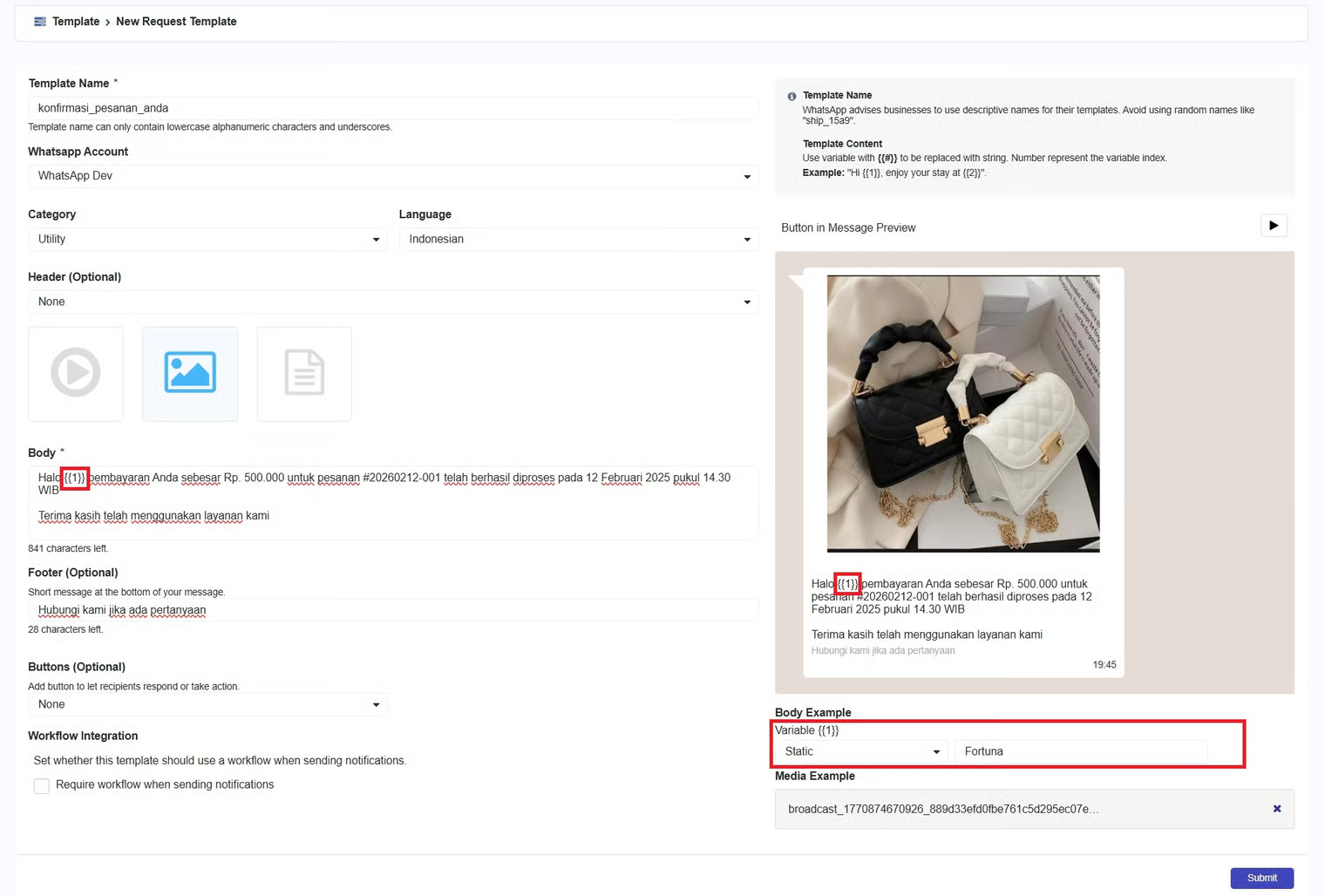
In the message body, you can also add variables using **{{#}}**, which will later be replaced by a string. The number inside the curly braces **{{#}}** indicates the variable index, used to determine the order and mapping of the variable data.
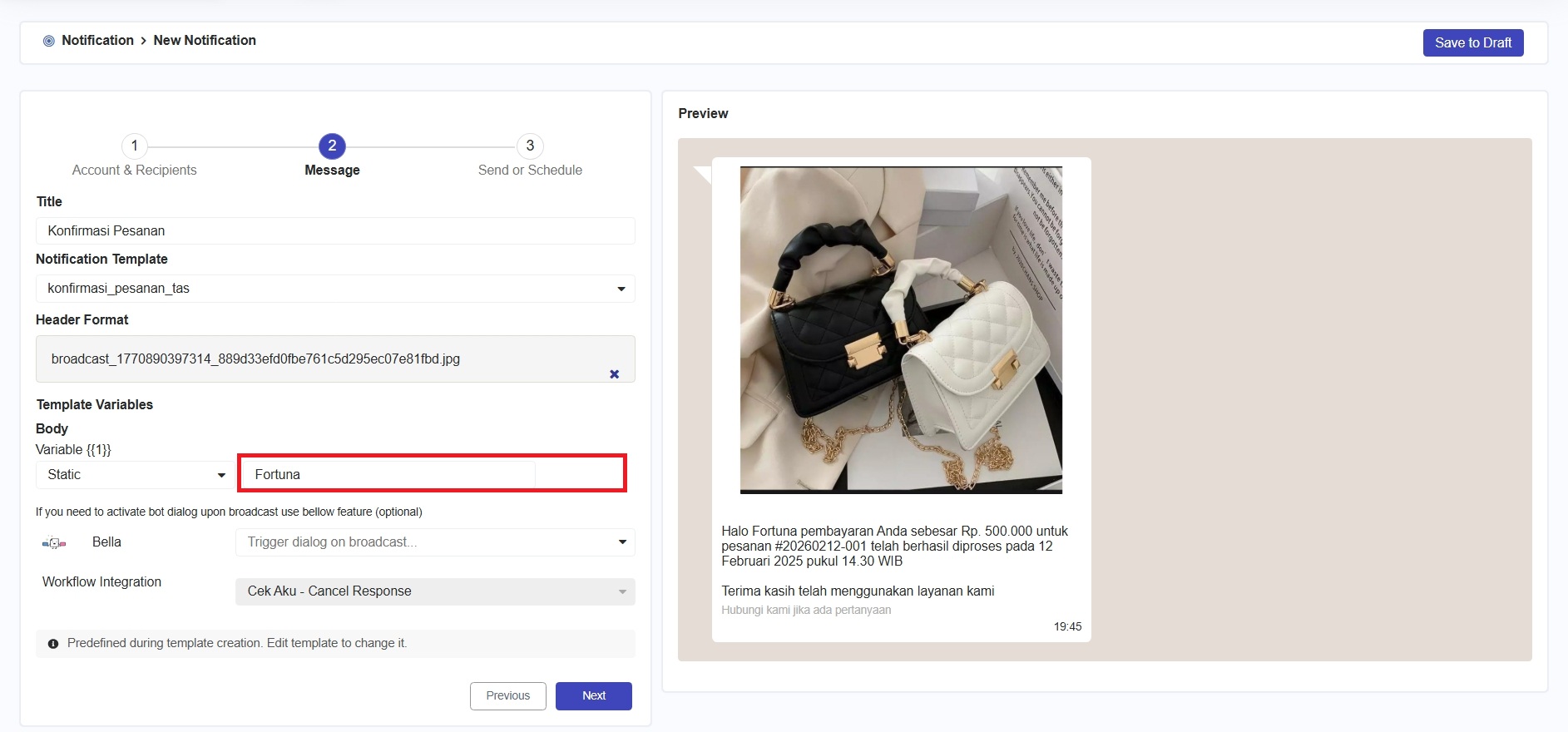
As shown in the image above, after creating the variable {{1}}, when you create a notification (go to [Notification > Create Notification](/marketing/notification/create-notification.md)) using that template, the message form will prompt you to fill in variable index 1. Then, {{1}} will be replaced according to the variable index you entered, as shown in the image below.