> For the complete documentation index, see [llms.txt](https://docs.3dolphins.ai/llms.txt). Markdown versions of documentation pages are available by appending `.md` to page URLs; this page is available as [Markdown](https://docs.3dolphins.ai/marketing/template/request-template/utility-template/header-template.md).
# Header Template
You can optionally add a header to the template message. A header is content that appears at the top of the message. There are 2 (two) options for the header: **None** (no header included), **Tex**t, and **Media.**
### Header Text
If you want to add a text header, you can select the **'Text'** option in the header dropdown field. Then enter the header in the text field, and a preview of the text can be seen on the right side of the page, as shown in the image below.
First, once you are on the **New Request Template** page, click the dropdown in the **Header** field, then select **‘Text’**, as shown in the image below.
Header - Text
After selecting Text, you can enter the text that will be used as the broadcast header, as shown in the image below.
Header Text
### Header Media
If you want to add a media header, you can select the **'Media'** option in the header dropdown field. In the header section, there are 3 media options you can choose from: **Video, Image,** and **Document**. You can select one of the media types, and a preview of it will appear on the right side of the page.
First, after you are on the **New Request Template** page, click the dropdown in the **Header** field, then select **'Media'**, as shown in the image below.
Header - Media
You can select one of the media to be used as the broadcast header. Then, upload the media through **'Media Example'**, as shown in the image below.
Add Header Media
#### Video
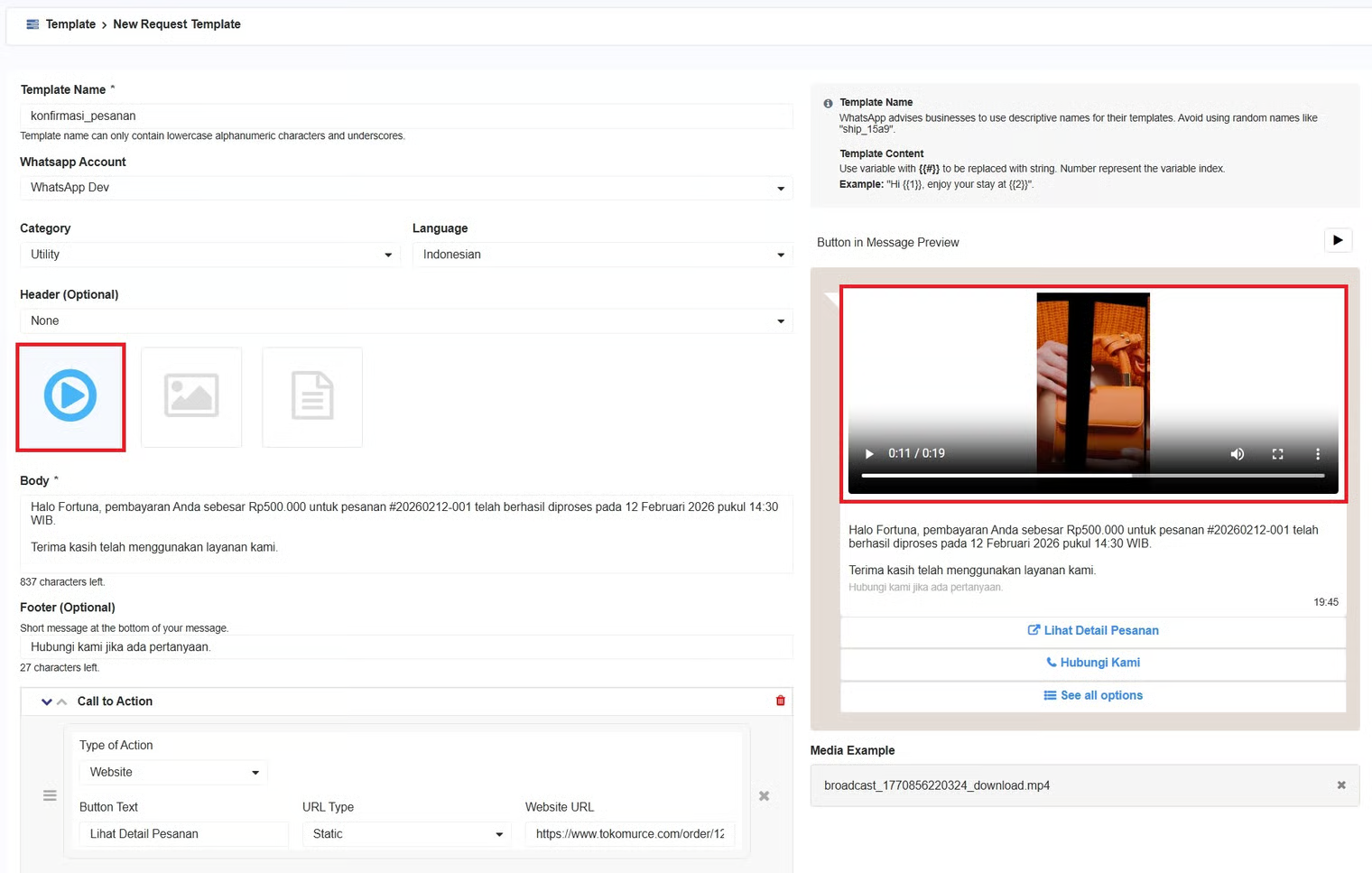
To deliver messages more dynamically and interactively, and to increase customer engagement, you can use Video as the media to display content such as promotional videos, teasers, or brief product explanations.
{% hint style="info" %}
The maximum video size you can upload is 16 MB.
{% endhint %}
Header Video
#### Image
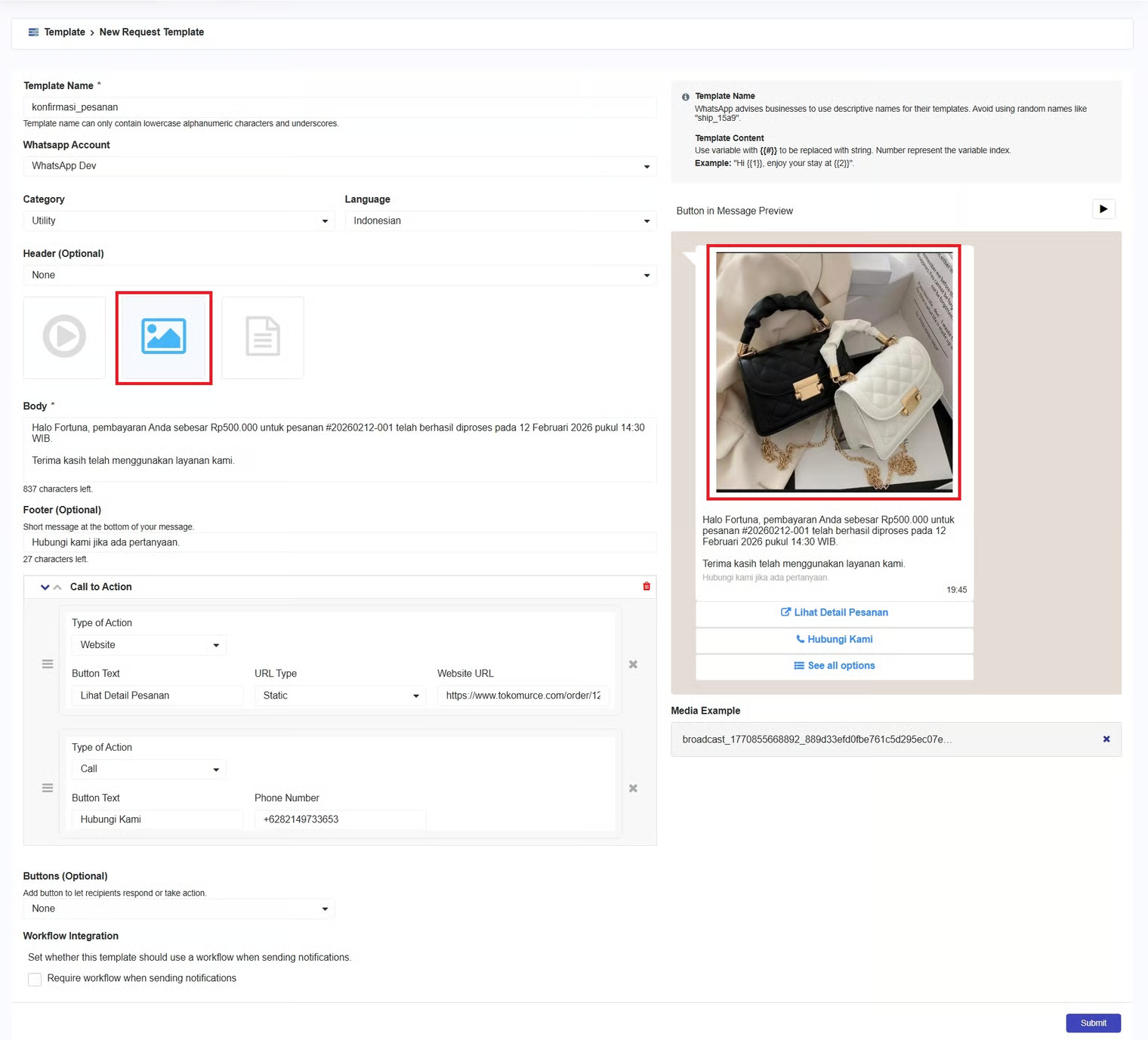
When you want to capture customers' attention from the moment they see the message and help them understand the main message visually, you can use Image as the media to display visuals such as promotional banners, posters, or product displays.
{% hint style="info" %}
The maximum image size you can upload is 5 MB.
{% endhint %}
Header Image - Utility
#### Document
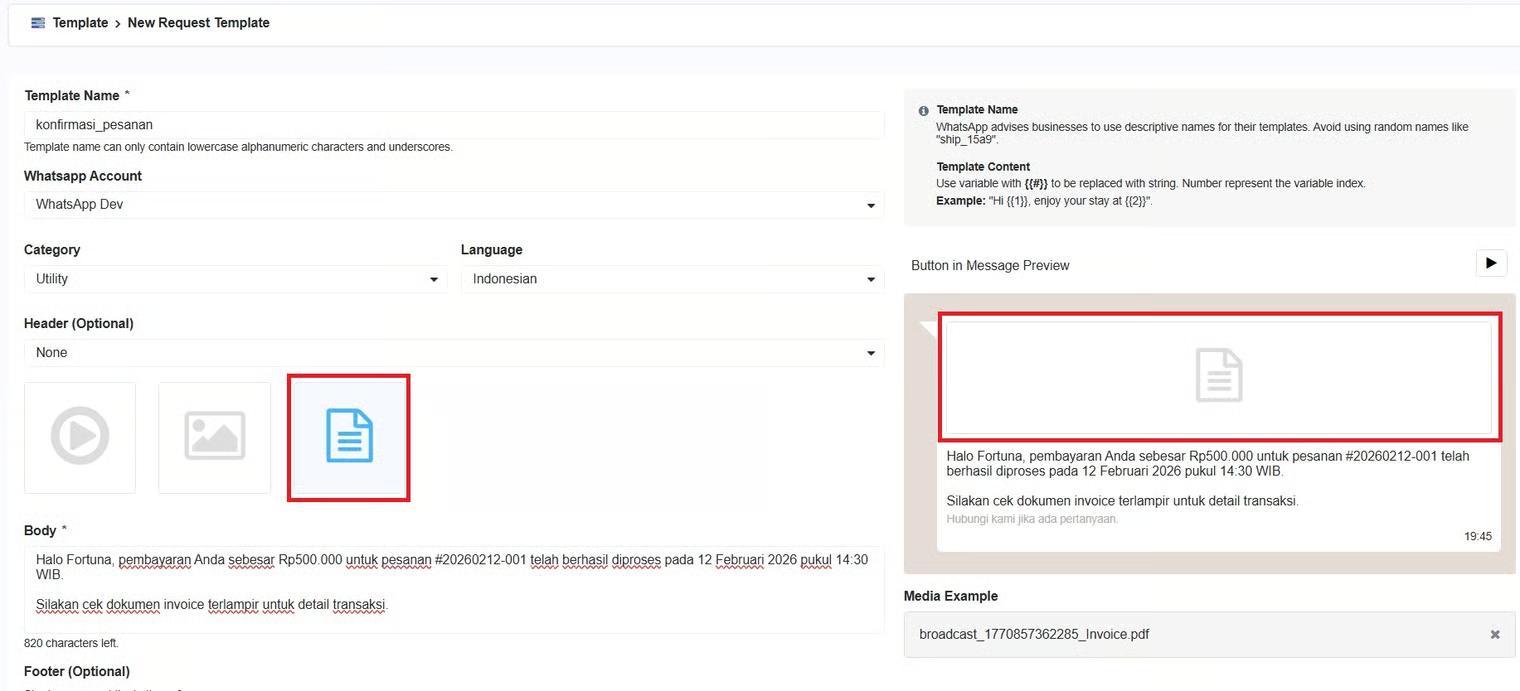
When you want to provide more complete and detailed information to customers, you can use Document as the media to attach a file.
{% hint style="info" %}
The document you can upload must be in PDF format only, with a maximum size of 100 MB.
{% endhint %}